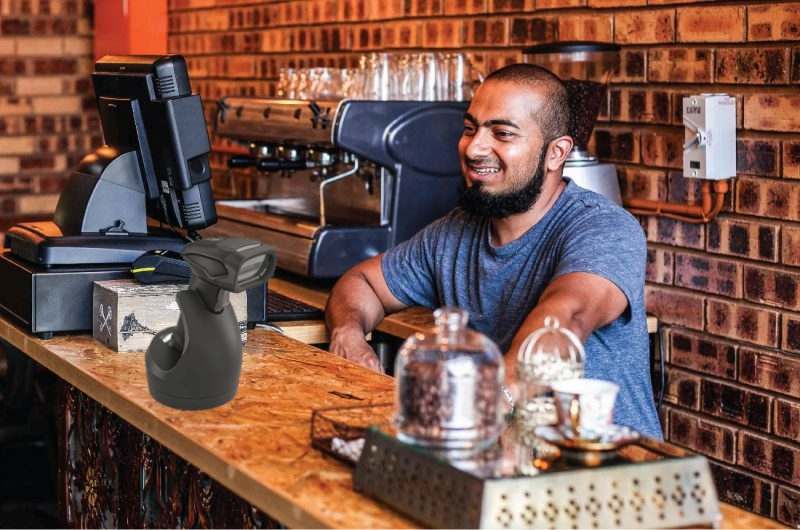
How Does a Barcode Scanner Work?
Considering buying a barcode scanner? From warehouses to spaza shops, here is some useful information you should know before you buy.
If you run a small shop, a spaza, a mini-market, or any kind of retail business where products move across a counter, you’ve probably seen barcode scanners in action. That familiar beep at checkout isn’t just about speed. It’s about accuracy, stock control, and making sure what you sell is actually what gets recorded.
In big supermarkets, scanners are everywhere. But in small retail stores, they’re often misunderstood. Some owners think barcode scanners are only for large chains. Others assume they’re complicated, expensive, or only useful if you already have a full point-of-sale system.
The truth sits somewhere in the middle.
A barcode scanner is a simple tool, but when it’s used properly in a small store, it can change how the business runs day to day. It can reduce pricing mistakes, make checkout faster, help track stock, and take pressure off owners who are used to doing everything manually.
This guide explains what a barcode scanner is, how it works in simple terms, and how small retail businesses use it in the real world. Not from a technical manual point of view, but from the perspective of someone running a shop, dealing with customers, counting stock, and trying to keep things organised.
If you’re wondering whether a barcode scanner makes sense for your store, or what it really does once it’s plugged in, you’re in the right place.
What a barcode scanner is and how it works in simple terms
At the most basic level, a barcode scanner is a tool that reads the lines and gaps in a barcode and turns them into digital information that a computer can understand. In a store, that means you point the scanner at the code on a product, it reads the pattern, and the system knows instantly what item it is, what price it has, and how it should be tracked.
Barcodes themselves are just a way of turning numbers into a visual pattern. The scanner shines a light, often a laser or LED, across that pattern. The light reflects back differently depending on the dark and light areas. The scanner’s sensor captures that pattern, and a decoder turns it into the numbers or information stored in the code.
In a small retail store, this happens every time a product moves across a counter. When the barcode scanner reads a code, it sends that information to your point-of-sale or inventory system. That means the price is recorded instantly, stock levels can be updated, and the need for typing or guessing is greatly reduced.
Why small retail stores use barcode scanners
In a busy small shop, most problems don’t come from big decisions. They come from small, repeated moments, wrong prices, slow service, stock going missing, or products being sold that were never recorded properly. Barcode scanners are useful because they reduce the number of those small mistakes that add up over time.
One of the biggest benefits is speed at checkout. Instead of searching for a product name or typing in a price, the cashier scans the item and it’s added instantly. When there’s a queue, especially around month-end or after school hours, those seconds make a difference. Faster checkout means shorter lines and less frustration for both customers and staff.
Scanners also improve pricing accuracy. In many small stores, prices are remembered or written on shelves. That works until someone forgets, a promotion changes, or a new staff member takes over. With a barcode system, the price is linked to the product. When it’s scanned, the correct amount appears automatically. That reduces arguments at the counter and protects your margins.
Another reason retailers use scanners is basic stock tracking. Every time an item is scanned and sold, it can be recorded. Over time, that gives you a clearer picture of what’s actually moving and what’s sitting on the shelf. Even simple tracking helps you see which products need regular re-ordering and which ones aren’t worth replacing.
There’s also a training benefit. New staff don’t need to memorise hundreds of prices or product codes. They scan, confirm, and move on. That lowers the chance of mistakes and makes it easier to keep service consistent, even when different people work the counter.
And even without barcode scanning, small stores still need a way to keep products and prices consistent, especially when different staff work the counter. A simple product list with set prices helps reduce mistakes and makes checkout faster. If you’re using the iKhokha App, the Catalogue feature can support that by letting you store your common items and prices, then tap to add them during a sale, instead of relying on memory or handwritten price lists.
When a small store needs a barcode scanner
Not every shop needs a barcode scanner from day one. If you’re selling a small range of items, working alone, and you know every price by heart, scanning might feel unnecessary. But as soon as your product range grows, or more than one person is working the counter, things change quickly.
A barcode scanner usually starts to make sense when checkout becomes slow, when pricing mistakes happen often, or when you’re no longer sure what’s really in stock. If customers are waiting while someone searches for prices, or if you’re finding extra or missing items when you count stock, those are signs that manual systems are starting to strain.
Scanners are also useful when you’re working with packaged goods from multiple suppliers. When similar products sit next to each other on the shelf, scanning reduces the risk of charging the wrong price or recording the wrong item.
On the other hand, if your shop is very small, sells only a handful of products, or operates more like a stall than a store, a scanner may not add much value yet. The goal isn’t to use more tools. It’s to use the right tools at the right stage of your business.
What to look for when choosing a barcode scanner for your shop
If you decide a barcode scanner will help, the next step is choosing one that fits how your shop actually works. The right scanner isn’t always the fanciest one, it’s the one that reads quickly, handles your product types, and doesn’t slow you down when there’s a queue.
Start with how you’ll use it. If you’re mostly scanning items at a counter, a simple handheld scanner is usually enough. If you want faster checkout with less handling, some shops prefer a hands-free style scanner that sits on the counter and reads items as they pass in front of it. Either way, what matters most is reliability, because one scanner that struggles to read codes will frustrate staff and customers.
It also helps to think about what you sell. Packaged groceries and everyday retail items scan easily, but small barcodes, shiny packaging, or faded print can be harder. A scanner that handles both normal barcodes and smaller codes can save time. If your shop sells items where barcodes are often damaged or folded, you’ll want something that still reads well without having to scan five times.
Finally, keep your setup in mind. Some scanners connect by cable and some connect wirelessly. Wired can be simple and stable. Wireless can be useful if your counter is tight or you need to move around, but you’ll need to keep it charged and avoid losing the connection during busy periods. In a small store, the best choice is the one that stays consistent day after day, because consistency is what keeps the counter flowing.
Small systems that make a big difference
A barcode scanner won’t run your shop for you, but it can take a lot of pressure off the counter once things get busy. When your range grows, or you’ve got someone helping you on shift, those little slips start happening, wrong prices, the same item being rung up two different ways, stock that disappears on paper. Scanning helps tighten that up without you having to micromanage every sale.
If you’re still starting out, don’t stress if scanning isn’t your first move. Get your basics right first, keep prices consistent, record sales properly, and use a simple system you can repeat every day. Once that’s in place, adding a scanner becomes a nice upgrade, not another thing that causes chaos when there’s a queue.
At the end of the day, customers just want a quick, smooth checkout. And you want to know what’s selling, what’s not, and what needs restocking before you get caught short. That’s what these small systems are really for, less guesswork, less drama, more control.